Huawei AppGallery APK Download: Where to Get the Official File
Huawei’s AppGallery offers a broad selection of apps, making it a popular choice for Android users. However, obtaining the APK from unofficial sources can pose security risks. This blog will guide you on how to safely download the official Huawei AppGallery APK. By understanding where to find the genuine APK and how to confirm its authenticity, you protect your device from potential threats. Whether you’re transitioning from Google Play Store or trying to explore new applications, knowing the correct processes can enhance your digital experience. Stay secure and informed as you learn the best practices for acquiring and installing the AppGallery APK.
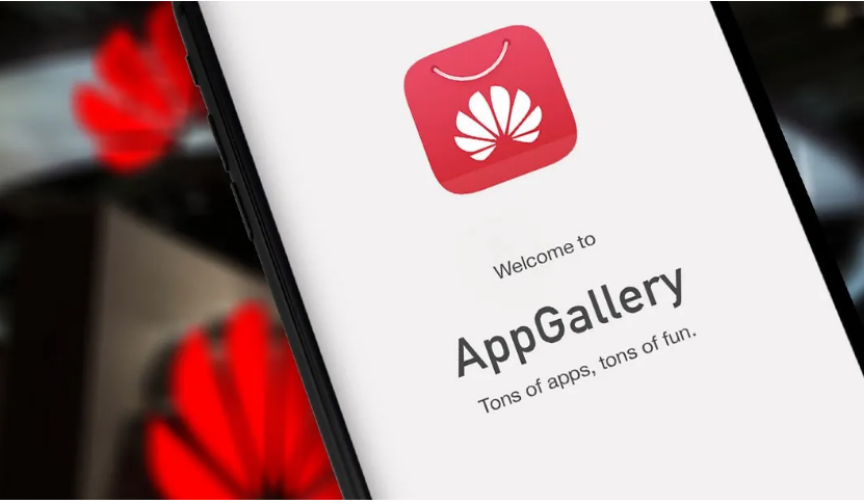
Where to Download the Official Huawei AppGallery APK
Official sources offer the most secure way to download the Huawei AppGallery APK. Here, we list verified options to ensure your download remains safe.
Official Option #1: AppGallery Web Version and Download Button
The most straightforward way to get the official AppGallery APK is through the Huawei AppGallery web version. Visit the official site and locate the download button, typically prominently displayed. By downloading directly from the website, you guarantee the file’s authenticity. This direct approach not only provides the latest version but also minimizes the risk of malware and suspicious files that can compromise your device.
Official Option #2: Huawei Support Pages That Link to Official Install
Huawei’s support pages often contain direct links to the AppGallery APK. These pages not only offer access to the APK but also provide support materials to assist with installation and troubleshooting. By referring to these official support pages, users are assured of receiving legitimate, up-to-date installation files and guidance from Huawei itself, ensuring the integrity of their download.
Official Option #3: Huawei Community Threads With Official Downloads
Active Huawei community threads can be an excellent resource for official APK links. Trusted members, including Huawei representatives, share legitimate download links. These threads also serve as a valuable space for acquiring tips and troubleshooting advice from users familiar with the platform. Ensuring that the thread is official or moderated helps verify the authenticity of these shared links.
How to Tell If Your AppGallery APK Is Official
Ensuring that your downloaded APK is official is crucial to maintaining device security. Here are ways to verify the legitimacy of your APK file.
Check the Source Domain and HTTPS
Before downloading, verify the source domain. Ensure the URL originates from Huawei’s official domains, and confirms the presence of HTTPS in the URL. This indicates a secure connection, reducing the risk of tampering. Trusted online sources are less likely to host compromised files or malware, safeguarding your device’s health.
Confirm the Package Name and Developer
After downloading, scrutinize the package name and developer details. An official Huawei AppGallery APK will list Huawei Technologies Co., Ltd as the developer. This information can usually be found within the APK’s metadata or during installation prompts. Mismatched details are a red flag indicating an unofficial or potentially harmful version.
Verify App Signature and Basic File Details
Use digital tools to verify the APK’s signature. Compare checksums or MD5/SHA-1 hashes with those provided by Huawei. An altered checksum can indicate tampering. Additionally, assess basic file details, like version number and size, ensuring consistency with official release notes. These checks secure the app’s legitimacy before installation.
Step-by-Step: How to Install Huawei AppGallery APK on Any Android Phone
Installing the AppGallery APK involves a few key steps. Follow these guidelines to ensure a successful and secure installation.
Before You Install: Backup, Storage, and Network Tips
Prioritize backing up important data to prevent accidental loss during installation. Ensure your device has ample storage for the new APK, and maintain a stable network connection throughout the download. These precautions prevent data loss and download interruptions, ensuring a smooth installation process.

Enable “Install Unknown Apps” Safely
To install from the APK, enable “Install Unknown Apps” in your settings. Navigate to settings, select “Security,” and enable permissions for your browser or file manager. Enable only temporarily to maintain device security. Disabling it post-installation minimizes exposure to unverified apps.
Install the APK and Complete Setup
Locate the downloaded APK in your file manager. Tap it to initiate installation. Follow on-screen prompts and permissions to complete setup. Once installation is finalized, launch AppGallery to begin exploring apps. Enjoy access to a broad selection of applications with your newly installed AppGallery.
What to Do After Installing: Get the Best AppGallery Experience
After installation, optimize your AppGallery experience by following these steps:
Install or Update Huawei Mobile Services (HMS)
Ensure Huawei Mobile Services (HMS) is installed and current. AppGallery relies on HMS to function optimally, providing backend services for a robust app experience. Regular updates enhance features and security, offering a stable and secure user environment.
Fix App Compatibility: Region, Device, and App Availability
App compatibility may vary by region or device. Use a VPN for region-specific apps if necessary. Evaluate device settings to ensure compatibility. These adjustments maximize your access to a diverse app selection, enhancing your AppGallery experience.
Turn On Security Protections Inside AppGallery
Within AppGallery, enable available security features. This could include regular updates and scanning tools. These protections secure your device, reducing risks from malicious applications. Employing these tools ensures your downloaded apps remain safe and in optimal working condition.
Conclusion
Knowing huawei app gallery download from official sources secures your device against potential threats. By following recommended verification steps and utilizing Huawei-specific sites, you assure yourself of obtaining legitimate apps. Proper installation and configuration enhance your app experience, keeping your personal data protected. With these guidelines, you can confidently explore Huawei’s extensive app offerings, knowing that your device’s security and functionality remain a priority. Stay informed, stay secure, and enjoy the best that Huawei AppGallery has to offer.
Search Blog
Category
Hot Articles
-
Popular Company Party Prize Ideas
-
5 Best Practices for Tablet Maintenance and Care
-
A Guide to the Best Headphones for 2022
-
How to Charge Your Laptop without a Charger
-
Unleashing the power of innovation: HONOR 70
-
The Importance of Labels for Supvan: Six Reasons You Need Them
-
It's Time to Install a Solar Panel Generator
-
Understanding the New Innovative Launch of Honor in 2023
